Zotero
TeXlyre can connect to your Zotero library to import references directly into your documents. The Zotero integration is accessible from the editor header when working on LaTeX, Typst, and BibTeX files. Your API key and User ID are stored encrypted in your browser's local storage and are never transmitted to external servers.
Finding Your User ID
Your User ID is a numeric identifier distinct from your Zotero username. You must provide it alongside your API key.
Navigate to ZoteroSettingsSecurity.
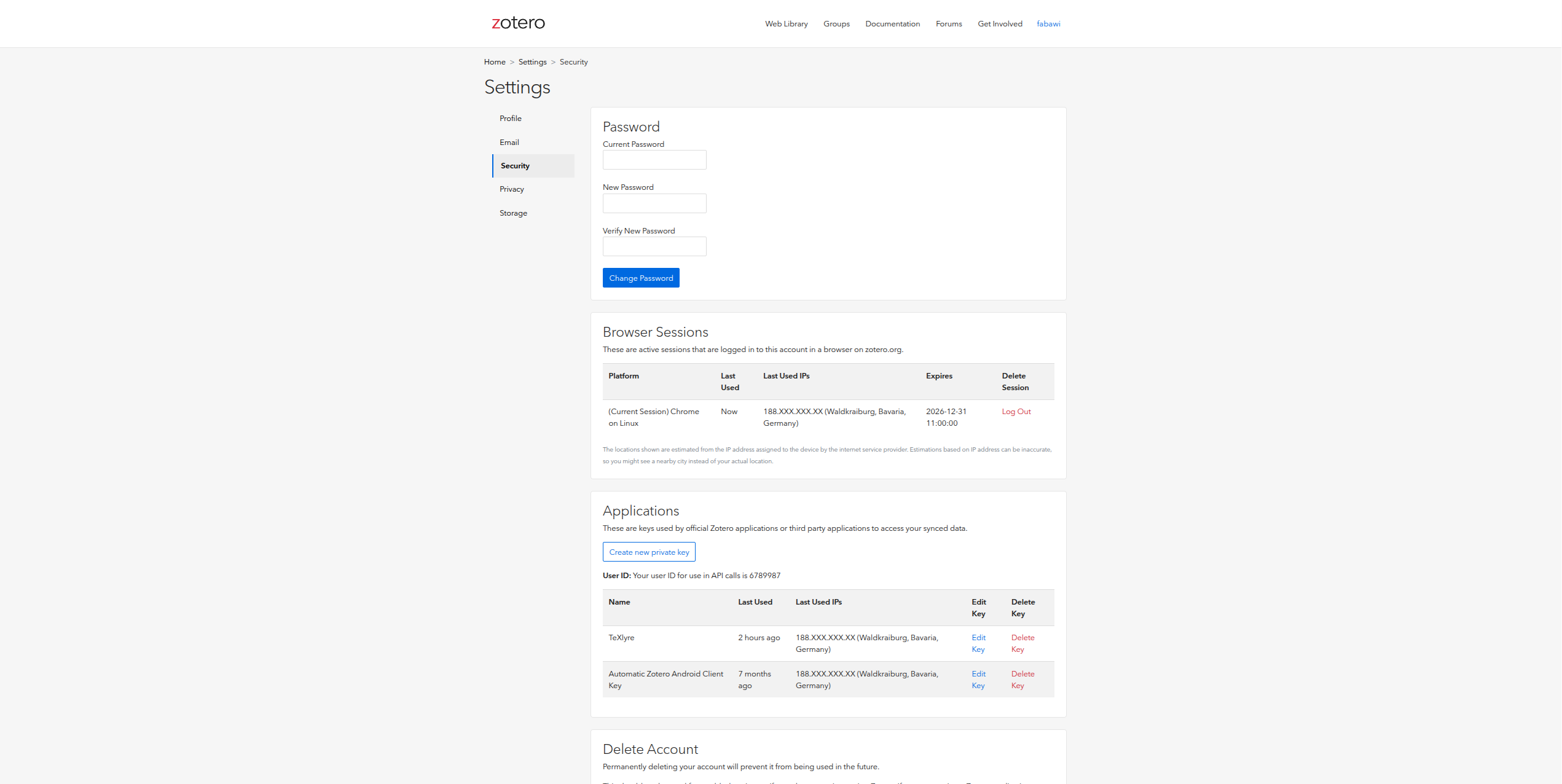
Scroll to the Applications section. Your User ID is displayed above the list of API keys as:
Your user ID for use in API calls is
XXXXXXX
Copy this number. Do not use your Zotero username since the API requires the numeric ID.
Generating an API Key
On the same Security settings page, click Create new private key.
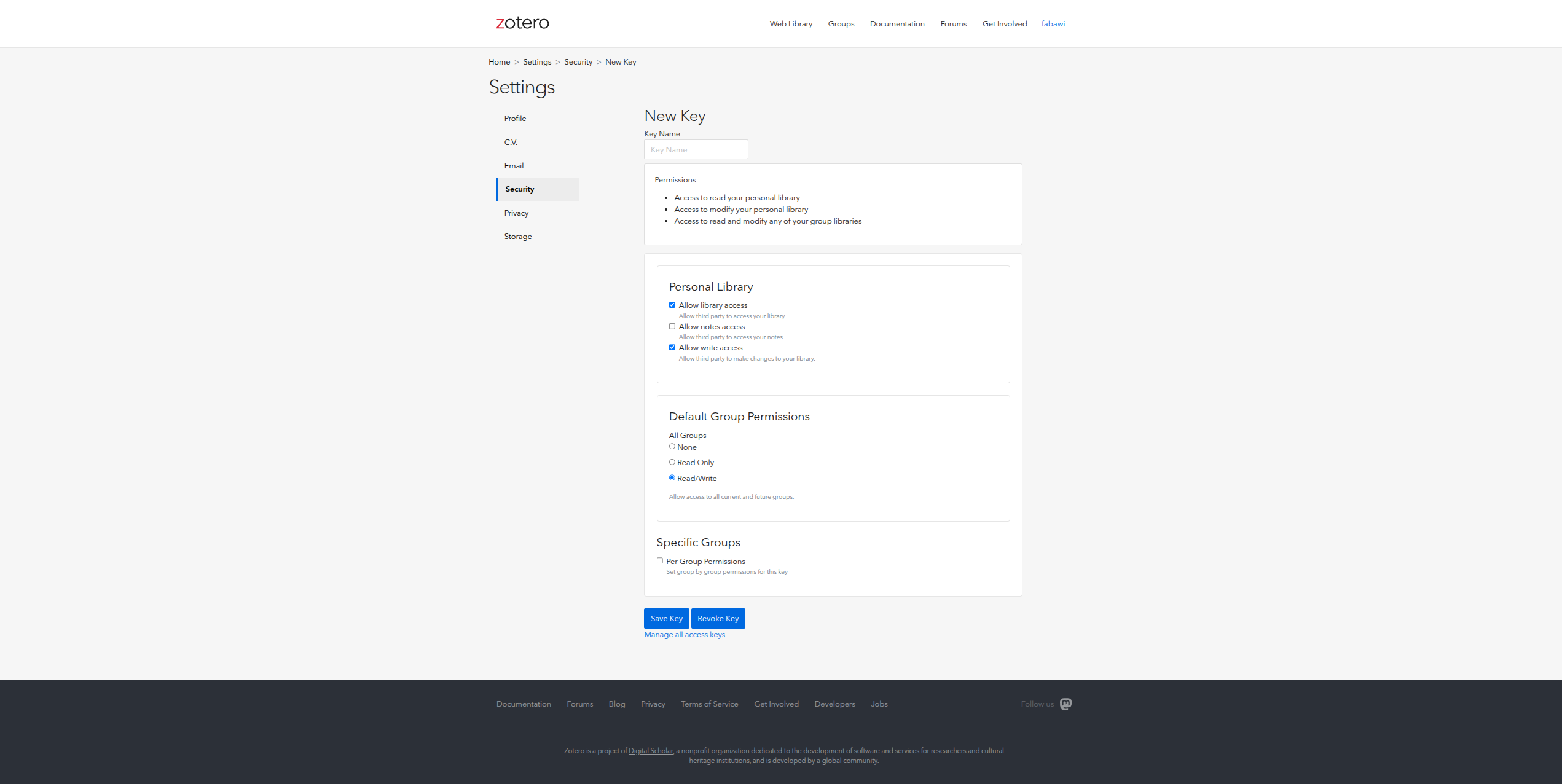
Enter a Key Name such as TeXlyre.
Required Permissions
Configure the following permissions:
Personal Library
| Permission | Setting |
|---|---|
| Allow library access | ✅ Enabled |
| Allow notes access | Optional |
| Allow write access | ✅ Enabled |
Default Group Permissions
Set to Read/Write to allow TeXlyre access to all current and future group libraries, or configure per-group permissions under Specific Groups if you prefer finer control.
Click Save Key and copy the key immediately.
Adding the Credentials to TeXlyre
The Zotero integration is accessible directly from the editor header when a LaTeX, Typst, or BibTeX file is open.
- Click the Zotero button in the editor header.
- Enter your numeric User ID (not your username) in the User ID field.
- Paste your key into the API Key field.
- Click Connect.
- Select the library you want to use.
- Enter your TeXlyre account password to securely store your credentials.
- Click Unlock.
The User ID is a numeric value found in ZoteroSettingsSecurityApplications, not your Zotero login username. Using your username instead of the ID will cause authentication to fail.