Codeberg (Forgejo)
TeXlyre can back up your projects to Codeberg repositories using an access token. Codeberg runs on Forgejo. Tokens are stored encrypted in your browser's local storage and are never transmitted to external servers.
Generating a Token
Navigate to CodebergUser settingsApplications.
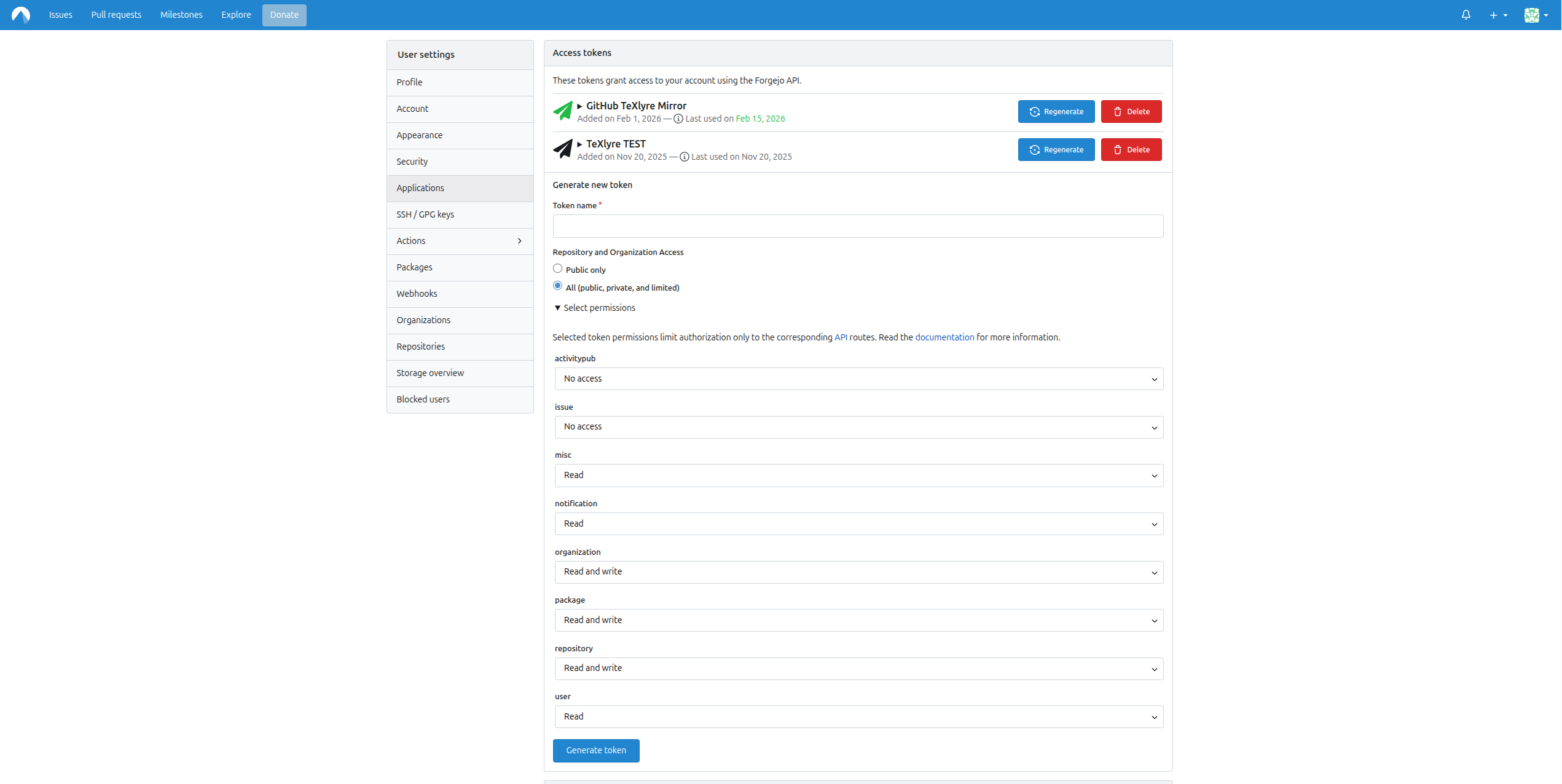
Under Generate new token, enter a descriptive Token name such as TeXlyre.
Repository and Organization Access
Select All (public, private, and limited) unless you intend to restrict TeXlyre to public repositories only.
Required Permissions
Expand Select permissions and set the following:
| Permission | Level |
|---|---|
misc | Read |
notification | Read |
organization | Read and write |
package | Read and write |
repository | Read and write |
user | Read |
Click Generate token and copy the token immediately as it will not be shown again.
Adding the Token to TeXlyre
- Open TeXlyre and navigate to Backup → Codeberg.
- Paste your token into the Codeberg Access Token field.
- Click Connect.
- Select a repository (preferably private; must already contain at least one file, e.g.
README.md, as TeXlyre does not create repositories). - Click Next.
- Select a branch and click Connect.
- Enter your TeXlyre account password to securely store your token.
- Click Unlock.
Changing the Endpoint
To change the connected repository endpoint, open SettingsBackupForgejoAPI endpoint. Codeberg is served by the Forgejo integration.