2 posts tagged with "Docker"

Docker containerization platform

View All Tags

Chelys Local Typesetting Engine Support

· 6 min read
Fares Abawi
TeXlyre author & maintainer
Part of the NGI0 Core roadmap

This post reports on Task 5 of TeXlyre's NGI0 Commons grant. For the full project roadmap, see TeXlyre joins NGI0 Commons.

TeXlyre can now compile projects with typesetting systems running on the user's machine. A typesetter is exposed as a compile service, in that TeXlyre sends the project files and compile options, the service runs the selected tool (typesetter or document authoring compiler), then returns the log and generated output. Chelys then installs and manages these services through its recipe system.

The same interface is used by SILE, TeX Live (LaTeX), PreTeXt, ConTeXt, and the other typesetter recipes. TeXlyre sees each one as a compiler provider alongside its built-in browser compilers.

Background

TeXlyre's support for WebAssembly-based Typst and LaTeX typesetting engines satisfies most common use cases. However, certain packages depend on libraries or environments that cannot practically be bundled in a browser environment. For example, LaTeX's SVG support relies on Inkscape, while some Typst packages and templates rely on system fonts unavailable to the WebAssembly engine. Similarly, many alternative typesetting systems depend on native binaries or language runtimes that are impractical to port and maintain in WebAssembly. Supporting them through external execution environments is therefore more feasible than running every typesetting backend directly in the browser.

TeXlyre represents each external backend through a provider, which describes how the editor can interact with it, including the supported project type, input files, output formats, compile controls, and transport address. The corresponding recipe defines how that backend is installed, configured, and executed in the external environment. This allows SILE, PreTeXt, TeX Live, and other backends to share the same editor-side compilation workflow, keeping the editor agnostic to backend-specific execution details.

The work spans three repositories. Each link below shows the full diff for that repository's contribution to this task.

  • chelys: the typesetter plugin type and its integration with the Chelys recipe lifecycle.
  • texlyre: compiler registration, external compile dispatch, file synchronization, controls, and output handling.
  • chelys-recipes: the shared compile bridge and the typesetter recipes.

Milestone 5a: Compile dispatch, file transfer, and PDF retrieval

Unlike in-browser typesetters, TeXlyre has no direct control over the execution pipeline of external backends. At the same time, from the editor's perspective, the behavior and procedures should remain identical regardless of whether compilation is performed locally or externally. To compile a project successfully, an external backend therefore needs access to the complete project file tree, including scripts, bibliographies, images, and other binary assets.

TeXlyre constructs a temporary working tree that mirrors the project's directory structure and transfers it to the external environment over WebSocket. Each project instance receives an independent working directory, preventing files and generated artifacts from leaking between project instances or connections. The recipe bridge can then invoke the configured backend for this reconstructed project and return the resulting output, logs, and auxiliary files to TeXlyre in a uniform structure. This allows the editor to treat external and local compilation in a similar fashion.

Once compilation is complete, the generated outputs, such as a PDF and other requested artifacts, are transmitted back to the originating TeXlyre instance together with the compiler log and auxiliary files generated during the run. TeXlyre can then pass the main output through the same rendering and preview pipeline used by its in-browser typesetters.

Compile dispatch and file synchronization between TeXlyre and an external backend

A connection-scoped working tree mirrors the project inside the recipe bridge; the first compile transfers the full tree and later compiles synchronize only the files that changed.

A provider can optionally enable incremental file synchronization. After an initial project transfer, further compile requests send only files that have changed or have been removed, while the bridge keeps the reconstructed working tree for the lifetime of the connection. Once the connection closes, the working directory is discarded, and a new connection begins with a fresh project state. For example, given a SILE project, the first compile transfers main.sil together with its project assets. If only one source file changes afterwards, the next request synchronizes that file before compiling with SILE again.

Incremental file synchronization

Currently, incremental synchronization operates on the complete file, meaning that changing a single character in the editor would retransmit the entire text document.

Providers may also define compile-time controls that are exposed in TeXlyre's interface. The TeX Live provider, for instance, provides an engine selector for pdfLaTeX, LuaLaTeX, XeLaTeX, pLaTeX, and upLaTeX. The selected value is passed with the compile request, enabling a single external backend to support multiple compilation modes without requiring backend-specific handling in the editor.

Milestone 5b: Typesetting engine lifecycle in Chelys

In Milestone 4a, we introduced the recipe manager used to install and supervise local service providers. In this task, we extend the same lifecycle to typesetter recipes, allowing external typesetting backends to be installed, started, stopped, updated, and removed through Chelys.

When a typesetter service starts, Chelys publishes its provider configuration through the state shared with TeXlyre. TeXlyre observes this state and registers the corresponding typesetting compiler. When the service is stopped or removed, the provider is withdrawn and the compiler becomes unavailable again. Compiler availability in the editor therefore follows the actual state of the service without requiring a separate lifecycle in TeXlyre.

Typesetter service lifecycle across Chelys and TeXlyre

Starting a typesetter recipe publishes its provider configuration to the shared state, which TeXlyre observes to register or withdraw the corresponding compiler.

The backend runtime remains encapsulated by the recipe. A Docker recipe provides the full typesetting environment, whereas connect mode can attach to a compatible backend service that is already running. Both expose the same provider interface to TeXlyre, letting the editor-side compilation path remain agnostic of the service and how it is run or deployed.

In Task 3, we further extend this service model by enabling compatible Chelys services (tools) to be offered to collaborators over WebRTC.

Acknowledgements

This work was funded by NLnet Foundation as part of the TeXlyre project.
Chelys Local LSP Bridge and Plugin System

· 8 min read
Fares Abawi
TeXlyre author & maintainer
Part of the NGI0 Core roadmap

This post reports on Task 2 and the first milestone of Task 4 of TeXlyre's NGI0 Commons grant. For the full project roadmap, see TeXlyre joins NGI0 Commons.

TeXlyre can now use language servers that run on your own machine. Chelys is a local companion application that installs and runs a language server as a background tool and relays its messages to TeXlyre over a local WebSocket connection. Pairing uses your existing TeXlyre identity through a WebAuthn/PRF passkey, which also lets TeXlyre exchange its local storage with other paired instances without Chelys running. A plugin system manages provider containers, so adding a language server means selecting a recipe instead of configuring software by hand. Recipes are available for Tinymist, ltex-ls-plus, harper-ls, and JabRef.

Background

A browser cannot launch and supervise local processes such as language servers or typesetting engines. TeXlyre already supported the Language Server Protocol on the editor side, but it had no way to install or run a server on the user's machine. Chelys provides that capability as a local companion application. It runs the plugins and exposes them over a local endpoint, while the account pairing is set up to keep the necessary state synchronized across the user's devices.

The work covers two repositories. Each link below shows the full diff for that repository's contribution to this task.

  • chelys: the companion application, covering passkey login, the WebRTC sync layer, and LSP plugin support.
  • texlyre: passkey login on the application side.

Milestone 2a: Local LSP relay over WebSocket

Chelys runs a language server as a local background process and bridges it to TeXlyre. The browser connects to a local WebSocket endpoint that Chelys exposes, and Language Server Protocol requests and responses are relayed in both directions between TeXlyre's editor and the local provider. Since the transport is a plain WebSocket address, the relay can also be used on its own, meaning a language server managed manually can be reached by pointing TeXlyre directly at its WebSocket address, following Using an LSP with TeXlyre, without Chelys.

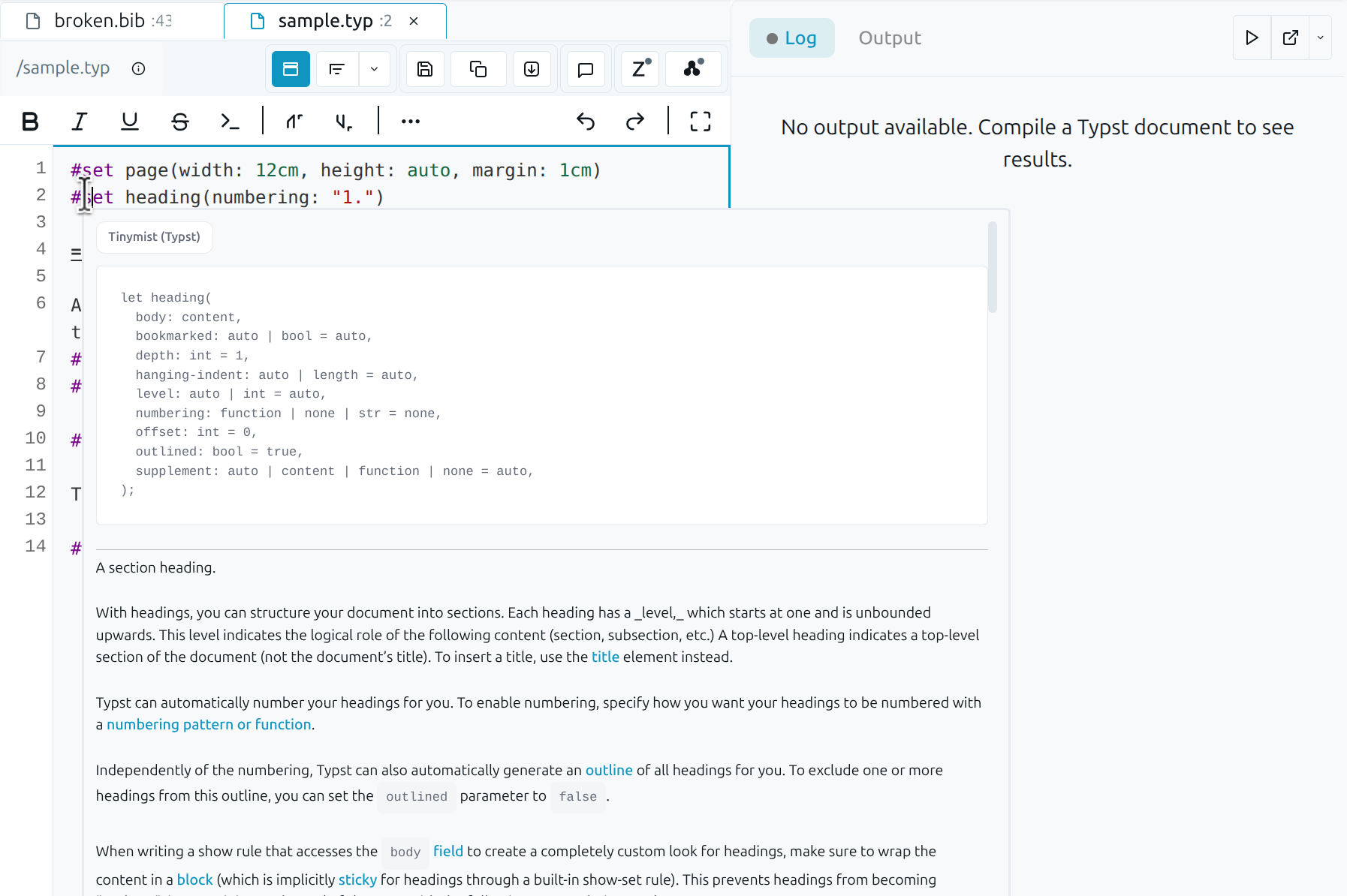
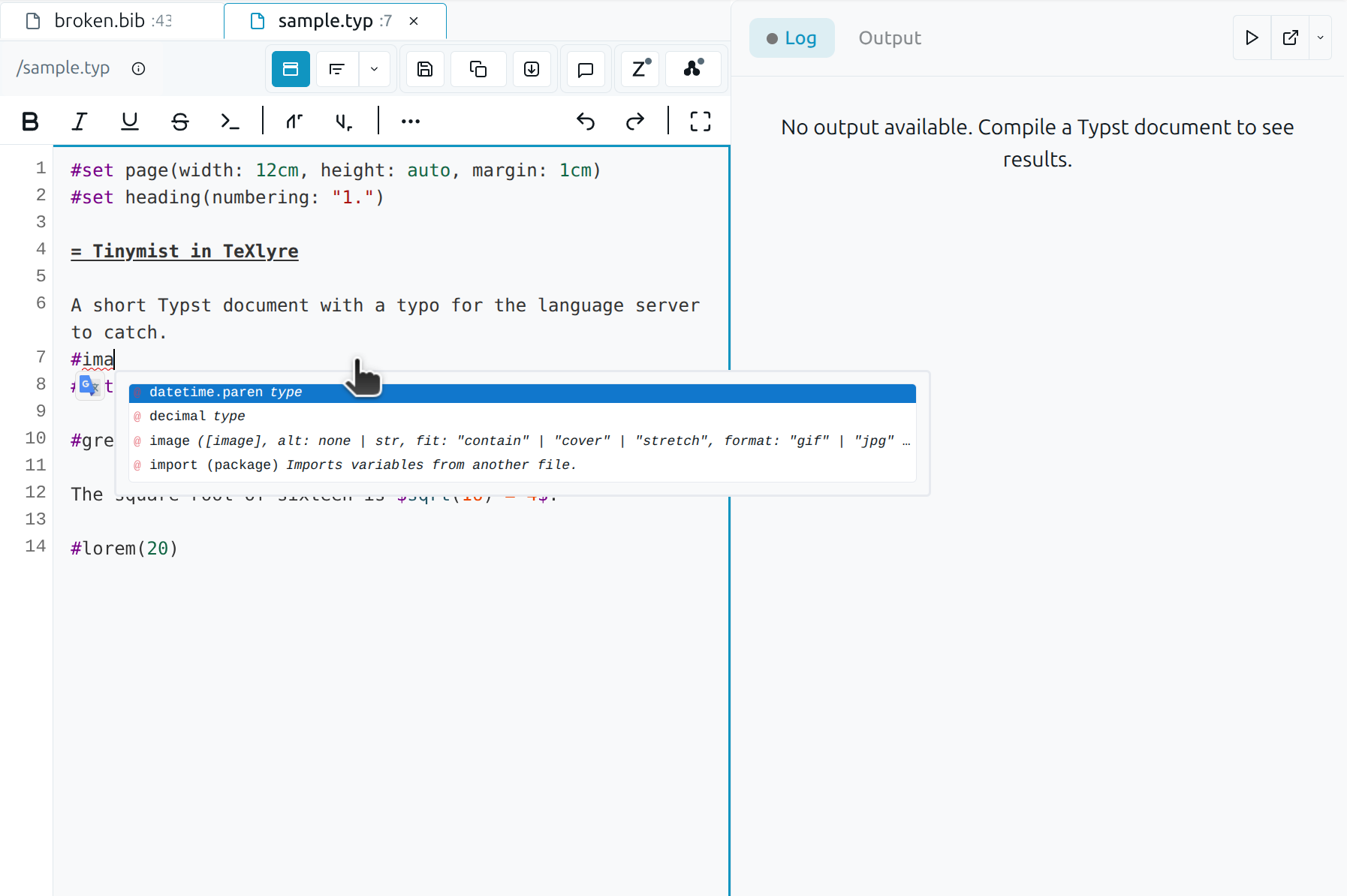
TeXlyre LSP autocomplete

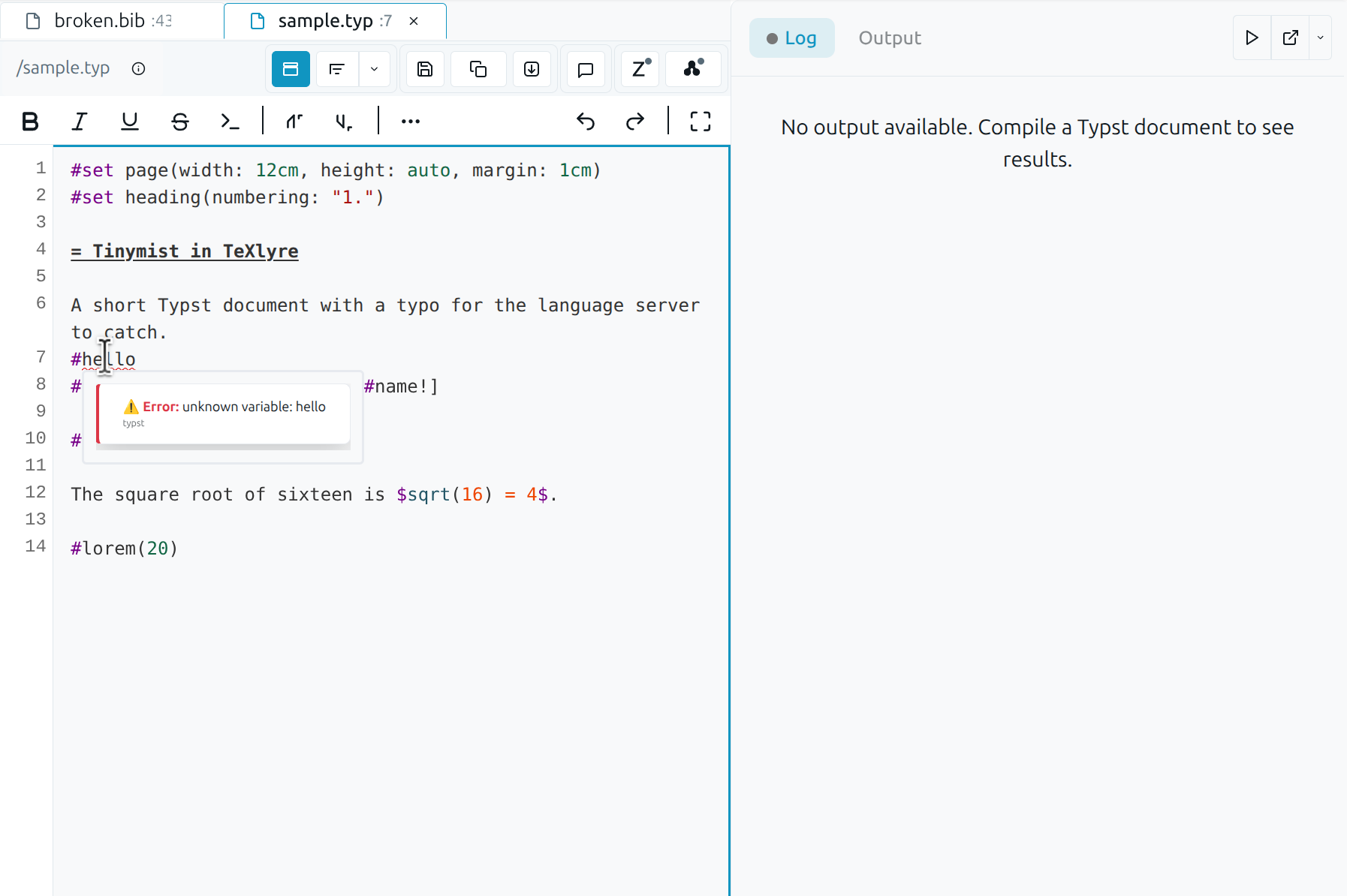
TeXlyre LSP info on hover

TeXlyre LSP info on hover

A request originating in the TeXlyre editor travels over the local WebSocket to Chelys, which forwards it to the language server process and returns the response along the same path.

Milestone 2b: Standalone passkey login and cross-instance local storage sync

TeXlyre already synchronized project data between instances over WebRTC, scoped by project links. Logging in with the Chelys passkey extends this to user-level data. The passkey's PRF output derives a room identifier, and two TeXlyre instances signed in with the same passkey exchange their local storage (settings, properties, records, and secrets) over that room. This runs in the browser over WebRTC and does not require Chelys. The Chelys app remains responsible for installing and running the plugins.

Signaling requires connectivity

The storage exchange relies on WebRTC for peer connections, which by default uses the signaling server at ywebrtc.texlyre.org. Paired instances therefore cannot exchange data while offline. To run fully offline, host a local y-webrtc signaling server (see texlyre-infrastructure) and set its endpoint in both TeXlyre and Chelys.

The room is derived from the user's username, password, and the WebAuthn/PRF passkey, and credentials are stored in the operating system's native keychain. Synchronization uses Yjs CRDTs over WebRTC with no central server holding the data, and a presence indicator shows which devices are connected.

Paired TeXlyre instances exchanging local storage

Once paired, instances share an encrypted account room and exchange local storage over WebRTC; the presence indicator reflects the devices currently connected.

Milestone 4a: Provider plugin system

Providers are packaged as recipes: declarative descriptions of a background tool and how to run it. The plugin system installs, updates, and removes provider containers and resolves their dependencies, so adding a language server does not require manual software setup. A recipe runs either as a native system process or inside a Docker container; Docker mode requires a Docker installation available on the system. Ready-made recipes are published at chelys-recipes, covering Tinymist for Typst, ltex-ls-plus and harper-ls for prose and grammar checking, and JabRef for BibTeX.

Bridging a TCP-only server: JabRef

Most recipes run a language server that communicates through LSP over standard input and output. JabRef's language server, However, jabls only transports over a TCP socket. The recipe runs jabls as a local TCP server and bridges it to a WebSocket that TeXlyre can reach, using socat to connect the TCP socket to standard streams and lsp-ws-proxy to expose those streams as a WebSocket:

TeXlyre ⇄ WebSocket ⇄ lsp-ws-proxy ⇄ stdio ⇄ socat ⇄ TCP ⇄ jabls -p 2087

jabls is the same component that supports JabRef's official VS Code extension, run standalone here and bridged to TeXlyre. It provides BibTeX and BibLaTeX integrity diagnostics for .bib files, reporting consistency, citation-key, and formatting problems as the file is edited. The diagnostics are read-only integrity checks and the server does not modify the .bib file.

The recipe exposes a single user-editable variable, wsPort (default 7021), the port the WebSocket proxy listens on. The internal jabls TCP port is fixed at 2087 inside the container and is not exposed. Changing wsPort updates the run command, the Docker port mapping, and the transport URL that Chelys injects into TeXlyre. The recipe supports three modes: Docker, which builds a self-contained image bundling Java 21, JBang, socat, and the proxy; System, which runs the same bridge from a host toolchain; and Connect, which attaches to a bridge already listening on wsPort. All modes transmit the LSP json recipe for that plugin to TeXlyre over WebRTC.

Walkthrough: from pairing to live diagnostics

The following steps walk through the install to live diagnostics from a local language server, using JabRef as the example provider.

  1. Download and install Chelys for your platform from the v0.1.0 release.

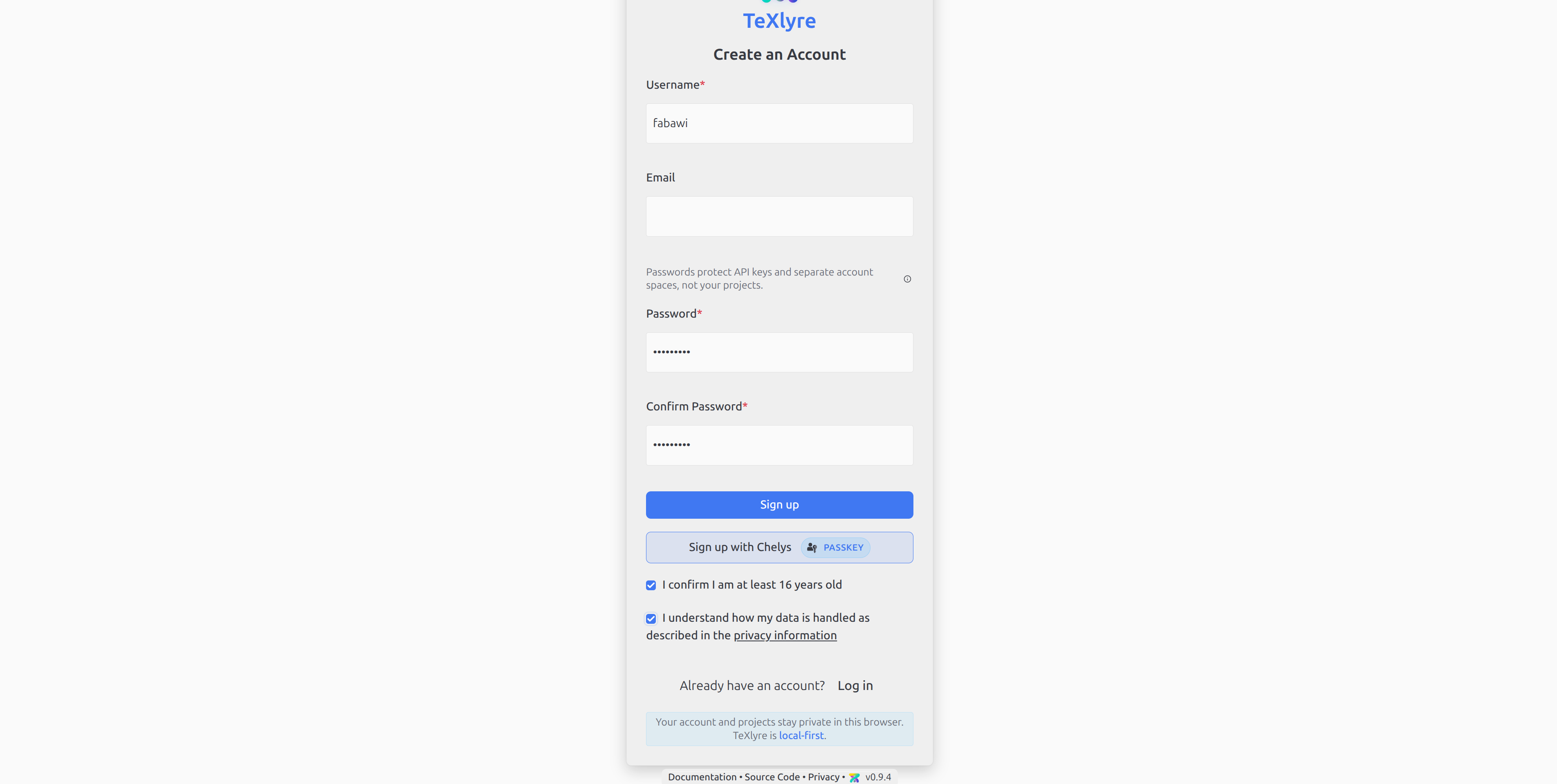
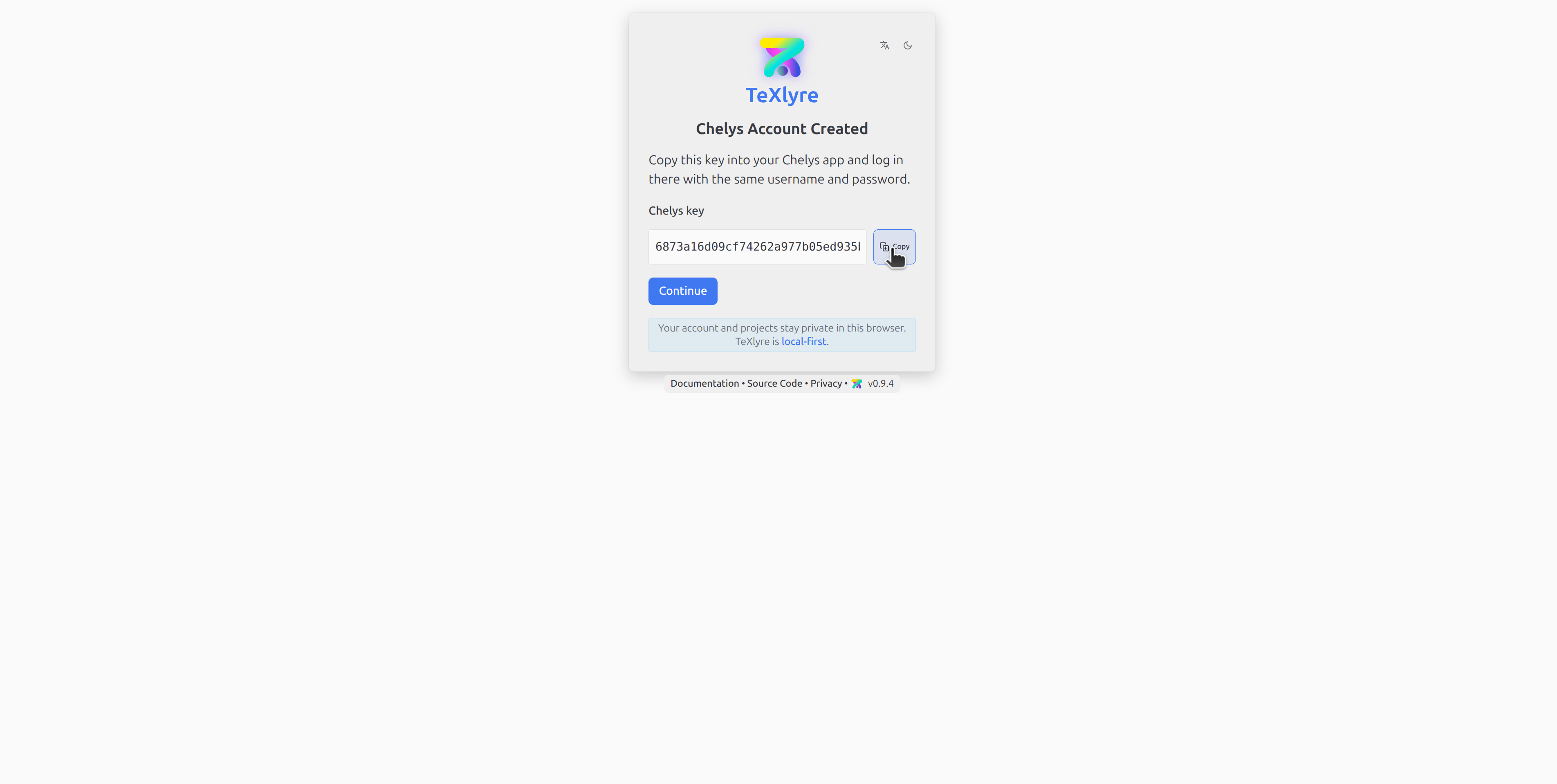
  2. In TeXlyre, register a passkey for Chelys at texlyre.org/texlyre and copy the resulting PRF key.

    Registering a Chelys passkey in TeXlyre

    Copying PRF in TeXlyre

    TeXlyre generates a WebAuthn/PRF passkey for Chelys; the PRF key shown here is copied into Chelys to derive the shared account room.

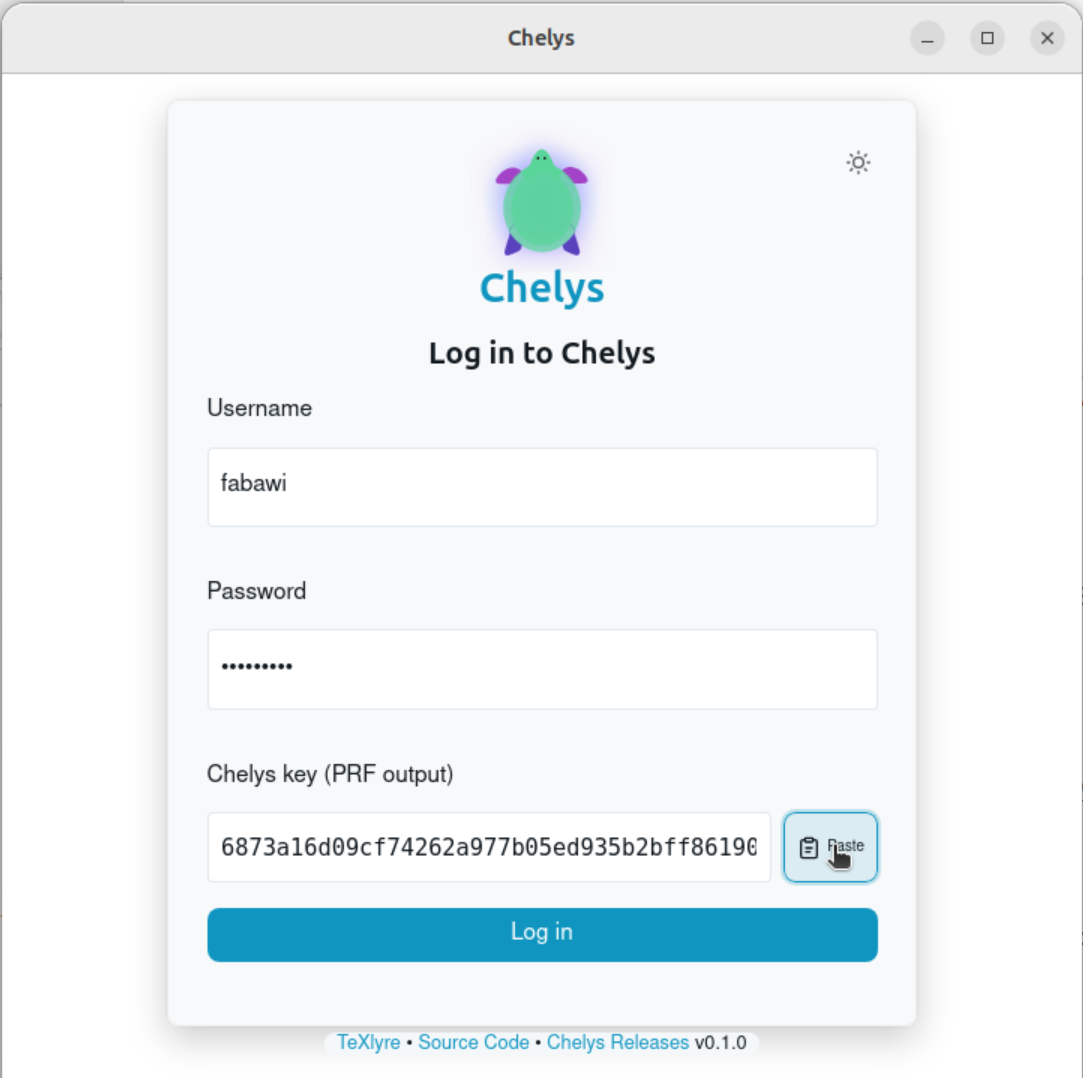
  3. In Chelys, log in with the same username and password and paste the copied PRF key.

    Logging in to Chelys with the TeXlyre credentials and PRF key

    Chelys pairs with the existing TeXlyre identity; credentials are stored in the system keychain.

  4. In Chelys, open Browse recipes and add one of the provided recipes.

    Browsing a recipe in Chelys

    The recipe browser lists available providers; adding one prepares it to be installed as either a system process or a Docker container.

  5. With the recipe added, click Install and choose Docker container.

    Installing the JabRef recipe as a Docker container

    Installing a recipe in Docker mode; the plugin system builds the image and resolves its dependencies.

  6. Once installation succeeds, click Run.

  7. Back in TeXlyre, refresh texlyre.org/texlyre and open a document matched to the running language server, for example a .bib document when running JabRef.

  8. Edit a BibTeX entry and introduce an integrity problem, such as a duplicate citation key or a malformed fields:

    @article{knuth1984,
    author = {Donald E. Knuth},
    title = {Literate Programming},
    journal = {The Computer Journal},
    year = {1984},
    volume = {27},
    number = {2},
    pages = {97--111}
    }

    @article{knuth1984,
    author = {Leslie Lamport},
    title = {LaTeX: A Document Preparation System},
    year = {1986}
    }

    @book{goossens1993
    author = {Michel Goossens and Frank Mittelbach and Alexander Samarin},
    title = {The LaTeX Companion},
    publisher = {Addison-Wesley},
    year = {1993},
    }

    @article{lamport1994,
    author = {Leslie Lamport}
    title = {LaTeX: A Document Preparation System},
    journal = {Addison-Wesley},
    year = {nineteen ninety-four},
    }

    @inproceedings{,
    author = {Jane Doe},
    title = {An Untitled Contribution},
    booktitle = {Proceedings of Nowhere},
    year = {2020}
    }

    @misc{oren2021,
    author = {Oren Patashnik},
    title = {BibTeXing},
    Year = {1988},
    url = {https://example.org/bibtex}
    }

    With jabls running, the issue is underlined as a diagnostic, and hovering or clicking it shows the reported problem.

    Live BibTeX diagnostics from jabls in the TeXlyre editor

    Diagnostics produced by the local jabls server, relayed through Chelys, appear inline in the TeXlyre editor.

Acknowledgements

This work was funded by NLnet Foundation as part of the TeXlyre project.